
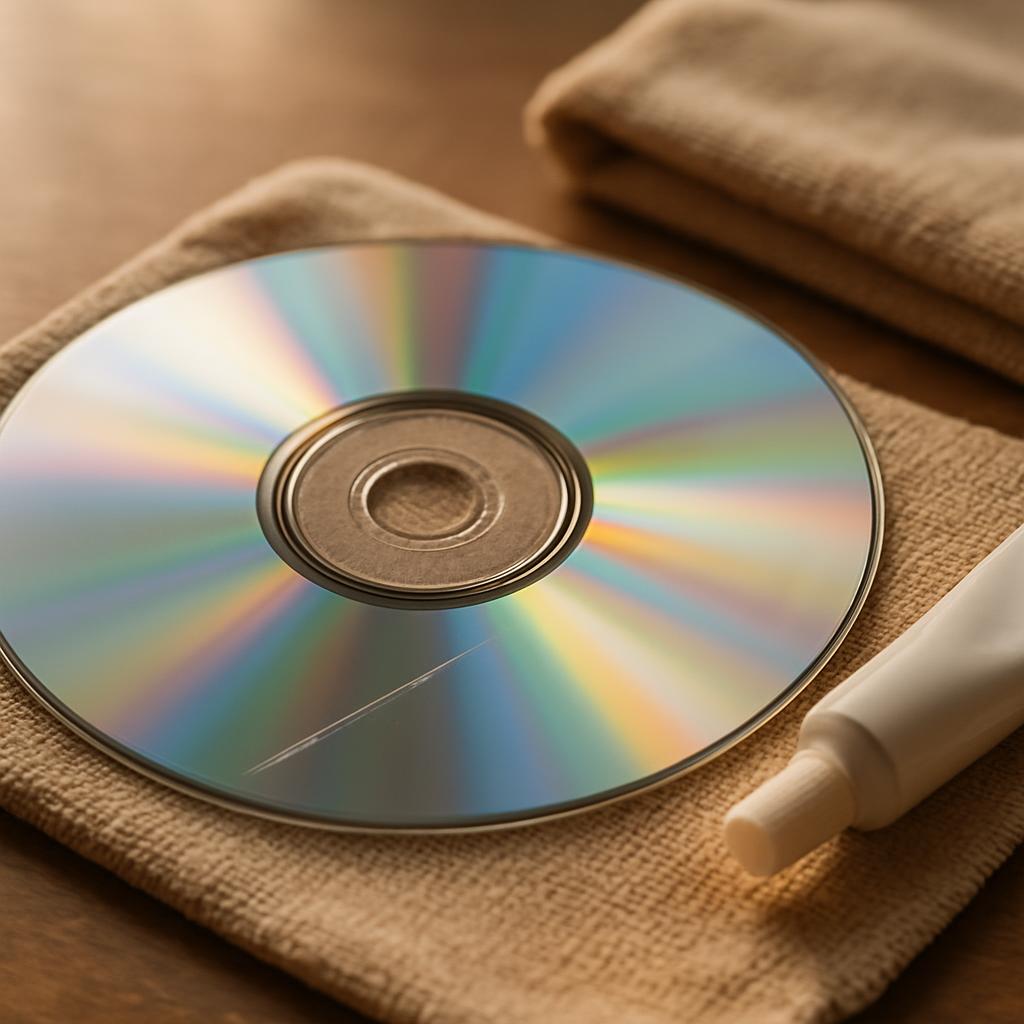
Engadget published a consumer guide on Nov. 23, 2026 laying out several ways to repair a scratched CD, from basic cleaning to home remedies involving toothpaste and wax, according to the announcement. The advice arrives as CDs, like vinyl records before them, have regained popularity as a nostalgic form of physical media, even as their vulnerability to scratches remains a longstanding drawback.
Key takeaways
- Engadget published a guide on Nov. 23, 2026 explaining how to fix scratched CDs, noting the discs have seen a nostalgic resurgence alongside vinyl.
- Recommended fixes range from simple cleaning with a lint-free cloth to DIY abrasive methods using plain white toothpaste or 3M rubbing compound, followed by sealing with wax.
- The guide warns that DIY repairs are not guaranteed to work and can sometimes worsen damage, especially on badly scratched discs.
- For discs that can't be fixed at home, professional repair services and dedicated machines exist but are rare and can cost thousands of dollars, making CD burners a more practical option for preserving data.
Key details
- What: A guide from Engadget, written by Robin Bea and published Nov. 23, 2026, on fixing scratched CDs.
- Context: CDs have seen a resurgence as a nostalgic physical media format, similar to the vinyl revival.
- Basic fix: Cleaning with a lint-free cloth, wiped from center to outer edge, sometimes with 70 percent isopropyl alcohol or distilled water.
- DIY repair: Plain white toothpaste or 3M rubbing compound used as an abrasive to buff out scratches, followed by a wax sealant such as shoe polish or Chapstick.
- Professional options: Disc repair services and high-end repair machines exist but are rare and can cost thousands of dollars.
- Preservation alternative: A CD burner can copy data from a disc, including some discs that skip during playback, to protect the content even if the physical disc is damaged.
Cleaning comes first
The guide advises that before attempting any repair, owners should check whether a CD is simply dirty rather than damaged. Oils from handling and dust buildup can cause skipping or playback failures without any actual scratching of the disc surface, and these issues are resolved by wiping the disc with a lint-free cloth such as microfiber, moving from the center of the disc to its outer edge rather than across it, since wiping in a circular or sideways motion can introduce new scratches.
For discs with more stubborn grime, the guide suggests applying a small amount of 70 percent isopropyl alcohol or distilled water to the cloth, though it notes this step usually isn't necessary. Any liquid used must be allowed to fully dry before the disc is played or stored again, according to the guide.
DIY abrasive and sealing methods
When cleaning alone doesn't resolve a skipping or unreadable disc, the guide describes DIY methods aimed at deeper scratches. These techniques work by using a mild abrasive to sand down the damaged layer of the CD so the player's laser can again reach the data stored underneath, though the guide cautions that "none of them are foolproof" and that attempting repairs carries "some chance you'll make the problem worse."
- Toothpaste method: Plain white toothpaste, without gels, beads or whitening agents, is applied and spread evenly, then wiped from the inside of the disc outward with a lint-free cloth before rinsing with water and drying.
- Rubbing compound: A stronger abrasive, such as 3M rubbing compound, can be used the same way for more persistent scratches.
- Wax sealing: If scratches remain after abrasive treatment, a thin layer of wax, such as shoe polish or Chapstick, can be applied from the inside to the outside of the disc and wiped off after a few minutes to help seal the damage.
The guide stresses that any product applied must dry completely before the disc is used again, and that success depends heavily on how severe the original scratch is.
Professional repair and data preservation
For scratches that resist home treatment, the guide points to professional disc repair services, which use machines that buff discs in a manner similar to DIY methods but with greater reliability. However, it notes these services are uncommon and may not be available in every area. Dedicated repair machines can also be purchased directly, though the guide states they can cost in the thousands of dollars, making them impractical for most consumers and worthwhile mainly for preserving rare discs whose content isn't available elsewhere.
As a non-destructive alternative, the guide recommends investing in a CD burner to copy a disc's data for safekeeping, since, as it notes, a CD collection "won't last forever." In some cases, a burner may still be able to record the data from a disc even while scratches cause it to skip during normal playback, allowing a backup copy to be made later, though the guide notes success still depends on the extent of the damage.
Frequently asked questions
What's the safest first step before attempting any scratch repair?
The guide recommends checking whether the CD simply needs cleaning, since oils and dust can cause playback problems without actual damage. Wiping the disc with a lint-free cloth from the center to the outer edge, and occasionally using isopropyl alcohol or distilled water, often resolves these issues.
Is toothpaste actually effective for fixing scratched CDs?
According to the guide, plain white toothpaste can act as a mild abrasive that buffs out shallow scratches, letting the player's laser reach the disc's data layer again. It cautions that results vary depending on the severity of the scratch and that the method is not guaranteed to work.
When should someone consider professional repair services instead of DIY methods?
The guide suggests professional services or dedicated repair machines make sense mainly for preserving rare discs with content that can't be found elsewhere, since these services are uncommon and machines can cost thousands of dollars. For most other cases, it recommends using a CD burner to back up the data instead.